
Smart locks are changing the way we protect our homes, offices, and even vehicles. You may have seen these sleek devices on doors, promising more convenience and higher security than traditional locks. But how do they really work? Is it safe to trust your front door to a piece of technology?
What happens if the battery dies or if the Wi-Fi drops? These questions are common, especially for people who are new to smart locks. This article gives you clear, detailed answers, so you can decide if a smart lock fits your needs.
Smart locks combine old mechanical locking systems with digital technology. They let you open doors using smartphones, codes, fingerprints, or even voice commands. No more fumbling for keys, and you can control your lock from almost anywhere. But smart locks are more than just gadgets—they use advanced engineering, encryption, and sensors to keep your property safe.
By the end of this article, you'll understand how smart locks work, their benefits and risks, what features matter, and how they compare to regular locks.
What Is A Smart Lock?
A smart lock is an electronic locking device that replaces or works with your regular door lock. You can unlock it using digital methods instead of a physical key. Popular ways to unlock include:
- Smartphone apps
- Numeric PIN codes
- Key cards or fobs
- Fingerprints
- Voice commands
Smart locks connect to your phone, home Wi-Fi, or Bluetooth, so you can manage access from anywhere. Most smart locks also log entry times and can send alerts if someone tries to break in.
Types Of Smart Locks
There are several main types based on their connectivity and unlocking method:
- Bluetooth smart locks: Work within a short range, connecting directly to your phone.
- Wi-Fi smart locks: Connect to your home internet, letting you control them from far away.
- Z-Wave or Zigbee locks: Use special smart home networks, often for advanced setups.
- Biometric locks: Use fingerprints or facial recognition.
- Keypad locks: Let you enter a numeric code.
- Hybrid locks: Combine two or more methods, like fingerprint plus code.
Each has its own strengths and weaknesses. For example, Bluetooth locks are simple and use less power, but you must be nearby. Wi-Fi locks offer remote control but need more battery and a stable connection.
How Smart Locks Work: The Technology Explained
Smart locks use a mix of hardware and software to manage access. Let’s break down the main parts:
Core Components
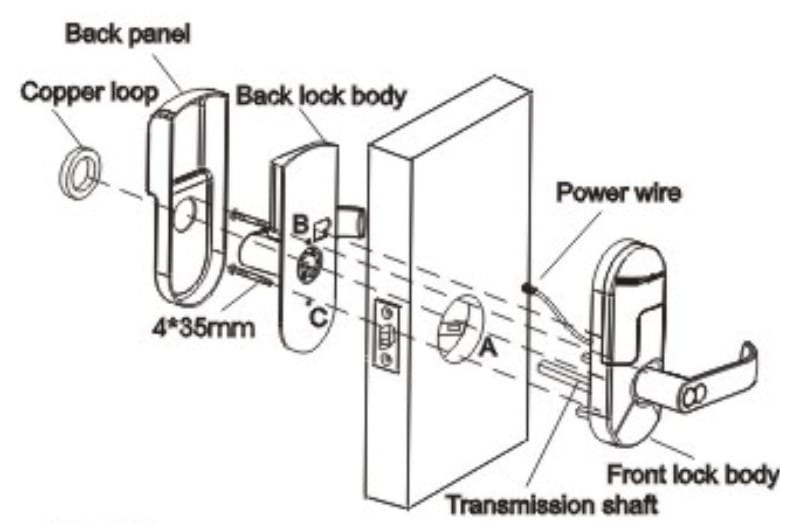
- Lock mechanism: The physical part that keeps the door secure. It can be deadbolt, lever, or knob style.
- Motor or actuator: Moves the lock open or closed when triggered electronically.
- Circuit board: The “brain,” processing commands from apps or sensors.
- Connectivity module: Handles Bluetooth, Wi-Fi, or other radio signals.
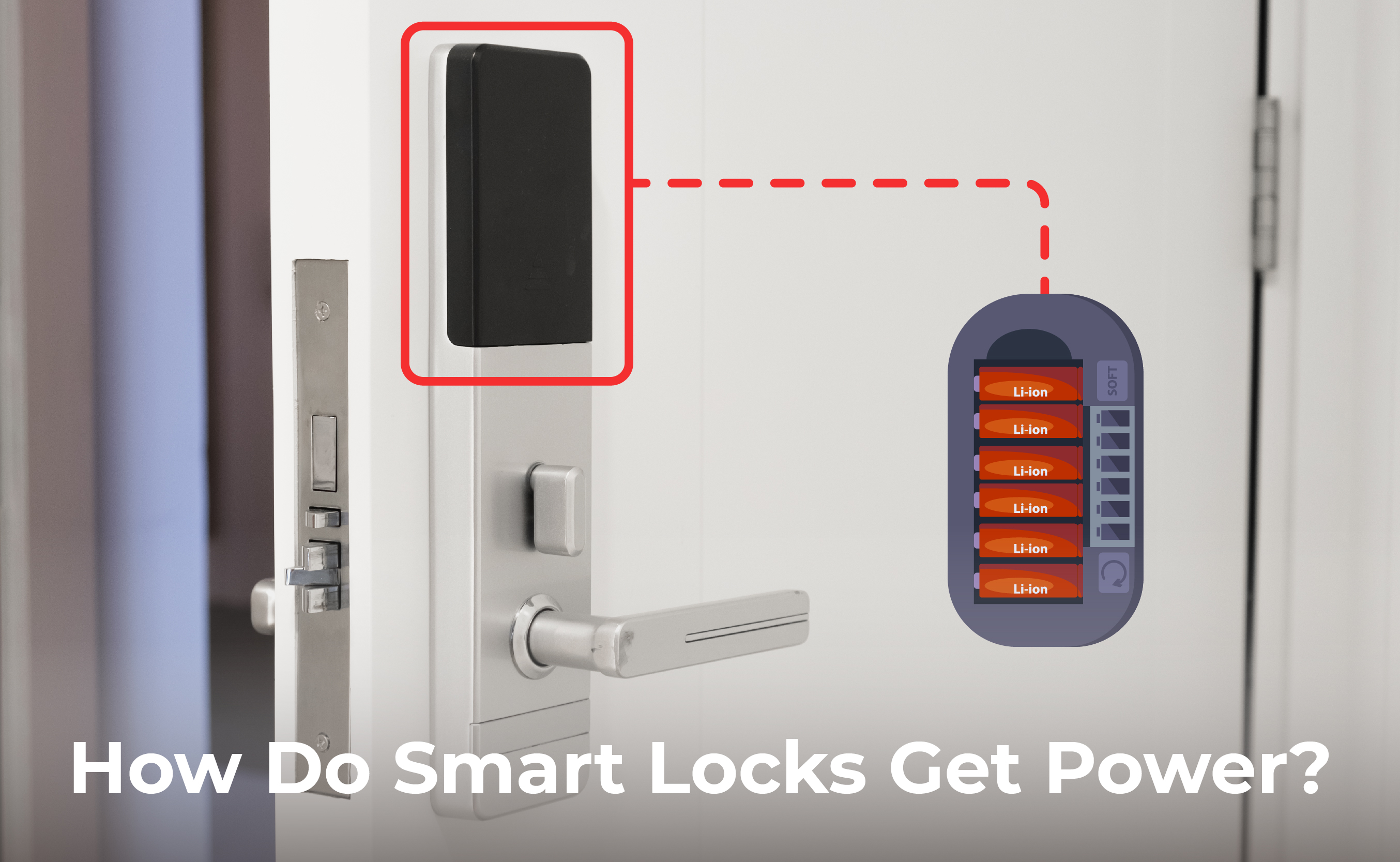
- Power source: Usually batteries, sometimes wired to house power.
- Sensors: Detect if the door is open, closed, locked, or unlocked.
When you send a command (like pressing unlock in the app), the circuit board checks your credentials. If you’re allowed, it activates the motor to turn the lock. The process happens in seconds.
Digital Authentication
Smart locks use authentication to check who wants to unlock the door. Common methods:
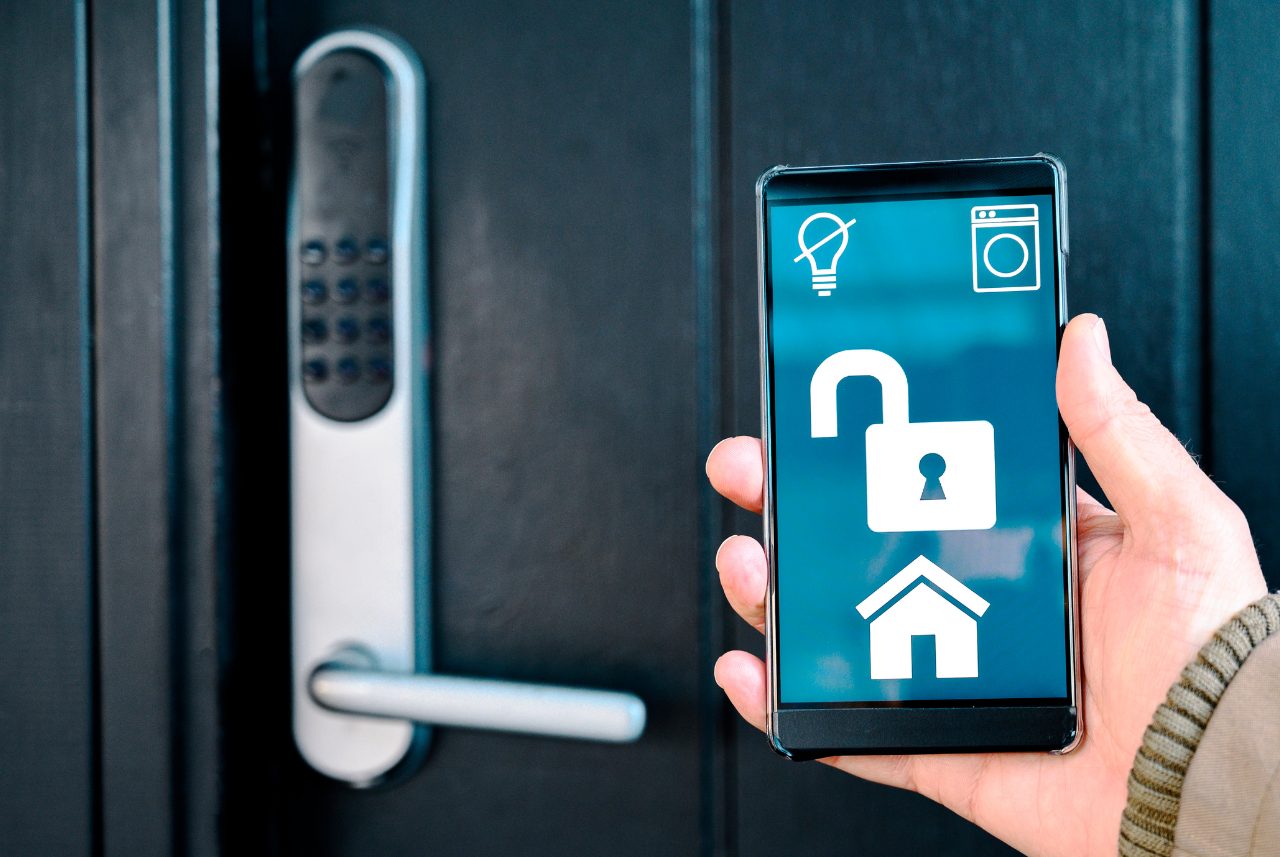
- App-based authentication: You log into a secure app. The lock checks your phone’s identity.
- PIN codes: You enter a code on a keypad. Some locks support multiple codes for different users.
- Biometric scans: The lock reads your fingerprint or face and compares it to stored data.
- RFID cards or fobs: You tap a card or fob, which has a unique chip ID.
Most smart locks use encryption to keep your credentials safe. Data sent between your device and the lock is scrambled so hackers can’t read it.
Connectivity: How Smart Locks Communicate
Smart locks need a way to receive commands and send status updates. The main technologies are:
- Bluetooth: Low-energy, short-distance. Good for simple setups but only works when you’re nearby.
- Wi-Fi: Connects to your home network, allowing remote control. You can unlock your door from across the world.
- Z-Wave/Zigbee: Used in smart home systems. They require a hub but are reliable and energy-efficient.
- NFC/RFID: Tap-and-go access with cards or phones.
Each method affects the lock’s features, battery life, and security. Bluetooth uses less power, Wi-Fi offers more features but drains batteries faster.
Access Control And Logs
Smart locks track who enters and when. Many keep logs in the app or cloud. You can see:
- Date and time of each unlock
- Which method was used (code, app, fingerprint)
- Failed unlock attempts
Some locks let you create temporary codes for guests, workers, or Airbnb renters. You can delete or change codes anytime.
Automatic Locking And Alerts
Many smart locks have auto-lock features. The lock checks if the door is closed and locks itself after a set time. Sensors help detect door status.
If someone tries to force the lock or enters wrong codes too many times, the lock can send alerts to your phone or trigger an alarm.
Comparing Smart Locks To Traditional Locks
Are smart locks really better than old locks? Let’s compare the main features side by side.
| Feature | Smart Lock | Traditional Lock |
|---|---|---|
| Unlock Methods | App, code, fingerprint, card, voice | Physical key only |
| Remote Access | Yes (Wi-Fi, app) | No |
| Access Logs | Yes (app/cloud) | No |
| Auto-Lock | Yes | No |
| Guest Access | Temporary codes, cards | Key copies only |
| Security Level | High (if setup well) | Depends on lock quality |
| Vulnerability | Digital hacking, battery failure | Physical picking, lost keys |
Smart locks offer more flexibility and control. But they can be hacked if not protected, and batteries must be checked.
Key Features To Look For In A Smart Lock
When choosing a smart lock, some features matter more than others. Look for these:
- Multiple unlock methods: Choose locks that support app, code, fingerprint, or card. This gives you backup options.
- Remote access: Wi-Fi enabled locks let you control doors from anywhere. Useful for letting in guests or checking status.
- Access logs: See who entered and when. Great for families, rentals, or offices.
- Auto-locking: Prevents you from leaving doors unlocked. Adjustable timers are best.
- Temporary codes: Create one-time or time-limited codes for guests or service workers.
- Battery alerts: Good locks warn you when batteries are low.
- Tamper alarms: If someone tries to force the lock, an alert or siren activates.
- Physical key backup: Some smart locks allow traditional keys for emergencies.
- Integration with smart home systems: Works with Alexa, Google Home, or Apple HomeKit.
- Weatherproofing: For outdoor doors, check the rating for rain, cold, and dust.
Example: Comparing Smart Lock Models
Here’s a sample comparison of three popular smart locks.
| Model | Unlock Methods | Remote Access | Battery Life | Physical Key Backup | Smart Home Integration |
|---|---|---|---|---|---|
| August Smart Lock Pro | App, code, voice | Yes (Wi-Fi) | 6-12 months | Yes | Alexa, Google, Apple |
| Schlage Encode | App, code | Yes (Wi-Fi) | 6 months | No | Alexa, Google |
| Yale Assure Lock SL | App, code, card | Yes (Z-Wave) | 12 months | No | Alexa, Google, SmartThings |
Notice that battery life, backup options, and smart home compatibility vary. Always check these details before buying.
Credit: reolink.com
How Smart Locks Are Installed
Most smart locks are designed to replace or fit over your existing lock. Installation is usually simple, but there are a few important steps:
- Remove your old lock or deadbolt (if needed).
- Mount the smart lock. Some require drilling or fitting a new plate.
- Insert batteries and check connections.
- Download the lock’s app and follow setup instructions.
- Connect to Wi-Fi, Bluetooth, or smart home system.
- Test unlocking with all methods (app, code, fingerprint, etc. ).
- Set up backup codes or physical keys if available.
- Configure auto-lock and alerts.
Pro tip: If your door isn’t standard size, check the lock’s compatibility. Some locks work only with certain doors or deadbolts.
Common Installation Mistakes
- Forgetting to align the deadbolt, which can stop the lock from working.
- Not checking Wi-Fi or Bluetooth coverage at the door.
- Skipping firmware updates, which can leave security holes.
- Not setting up backup access, like a physical key or emergency code.
If you’re unsure, many brands offer professional installation services.
Security Risks And How To Protect Yourself
Smart locks offer strong security, but they are not perfect. They can be vulnerable to:
- Hacking: Weak passwords or unencrypted connections can let hackers unlock your door remotely.
- Battery failure: If batteries die, you may be locked out.
- App bugs: Glitches in the app or firmware can cause malfunctions.
- Physical attacks: Some locks can still be forced or picked.
Protecting Your Smart Lock
Follow these steps to stay safe:
- Use strong passwords: Set unique, complex passwords for your lock app and Wi-Fi.
- Enable two-factor authentication: Many apps offer extra security layers.
- Keep firmware updated: Install updates from the lock manufacturer, which fix security bugs.
- Monitor access logs: Check for strange unlock attempts.
- Change codes regularly: Especially for guest or rental properties.
- Install backup power: Some locks have external battery connectors.
- Choose locks with tamper alarms: These scare away intruders.
- Physical key backup: Always have a way to unlock the door manually.
Real-world Example
In 2022, a security researcher found that some Bluetooth smart locks could be unlocked by hackers using cheap devices. The lock’s encryption was weak, so hackers could copy signals and open doors. Manufacturers quickly updated their firmware, but it shows why updates and strong passwords matter.
Smart Lock Connectivity: Bluetooth Vs Wi-fi Vs Z-wave
Not all smart locks use the same connection. Here’s how each option affects your experience:
| Technology | Range | Battery Life | Remote Control | Security |
|---|---|---|---|---|
| Bluetooth | Short (10-30m) | Long (up to 1 year) | No (unless paired with hub) | High (if encrypted) |
| Wi-Fi | Unlimited (via internet) | Medium (6-12 months) | Yes | Medium-High |
| Z-Wave | Medium (30-100m) | Long (up to 2 years) | Yes (with smart home hub) | High |
Insight: Bluetooth locks are best for single doors and simple setups. Wi-Fi locks are ideal for rentals or frequent remote access. Z-Wave is suited for smart home enthusiasts.
Battery Life And Maintenance
Smart locks mostly run on batteries, which last 6-24 months depending on the model and usage. Some locks have low-power modes or send alerts when batteries are low.
Practical Tips
- Check battery level monthly in the app.
- Keep spare batteries ready, especially before vacations.
- Some locks let you use an external battery pack to unlock if power fails.
- If your lock has a physical key backup, keep the key outside (not inside) the locked door.
Non-obvious insight: Cold weather can drain batteries faster. If your lock is on an outdoor door, check battery ratings.
Smart Lock Integration With Home Automation
Smart locks work with many smart home systems. You can:
- Unlock doors with voice commands (Alexa, Google Assistant).
- Set up routines: Lock doors when lights turn off or when you leave.
- Receive alerts on your phone or smart speaker.
- Connect locks to security cameras or alarms.
Some platforms support advanced features, like unlocking doors automatically when your phone is nearby (geofencing).
Tip: Check compatibility. Not all smart locks work with every smart home hub.
Use Cases: Who Benefits Most From Smart Locks?
Smart locks can help many people. Here are some examples:
- Families: No more lost keys. Kids can use codes or phones.
- Airbnb hosts: Give guests temporary codes that expire after checkout.
- Offices: Track employee entry and create access schedules.
- Elderly or disabled: Unlock doors with voice or phone, no need for keys.
- Busy professionals: Let cleaners or repair people in remotely.
Non-obvious insight: Some smart locks allow integration with delivery services. For example, Amazon Key lets couriers place packages inside your home.
Common Myths About Smart Locks
Many people worry about smart locks for the wrong reasons. Let’s clear up some myths:
- “Smart locks are easy to hack.” Modern locks use strong encryption. As long as you update firmware and use strong passwords, hacking is rare.
- “If Wi-Fi goes down, I’ll be locked out.” Most locks have backup methods: Bluetooth, codes, or physical keys.
- “Batteries die quickly.” Most locks last 6-12 months, and you get alerts well before failure.
- “Smart locks are expensive.” Prices range from $50 to $300. Some models are affordable and offer basic features.
Smart Lock Market: Stats And Trends
Smart locks are growing fast. According to a 2023 report, the global smart lock market was worth over $2. 5 billion and is expected to reach $4. 5 billion by 2027. The main drivers are rising home automation, Airbnb rentals, and security concerns.
- Over 30% of new homes in the US now feature smart locks.
- Airbnb hosts report 80% fewer lost key incidents after switching.
- 60% of smart lock owners use mobile apps as their main unlock method.
Smart Lock Brands And Their Reputation
Some brands stand out in the smart lock world:
- August: Known for easy installation and good app features.
- Schlage: Offers strong security and durable locks.
- Yale: Famous for reliability and smart home integration.
- Kwikset: Good for affordable, basic models.
- Samsung: Leading in fingerprint and card locks, especially in Asia.
Always check customer reviews and warranty details. Some brands offer 2-3 years of coverage.
Smart Locks For Apartments And Rentals
Smart locks can be tricky in apartments. Some landlords don’t allow changes to doors. Consider:
- Locks that fit over existing deadbolts (no drilling).
- Models with physical key backup, so landlords still have access.
- Temporary codes for guests and cleaners.
Tip: Always check building rules before installing.
Smart Locks For Businesses
Offices and shops can use smart locks for better access control:
- Create schedules: Only allow entry during work hours.
- Track employee access with logs.
- Remove access instantly if someone leaves the company.
- Integrate with alarm systems.
Some business models support hundreds of users and advanced reporting.
Smart Locks For Vehicles
Smart locks are not only for doors. Some cars use digital keys or smart locks:
- Unlock with smartphone or card.
- Send temporary access to friends or family.
- Track who used the car and when.
Tesla, BMW, and Hyundai are leading this field, offering app-based car unlocking.
Credit: www.vesternet.com
Smart Locks In Hotels
Many hotels use smart locks for guest rooms. Benefits:
- Guests receive digital keys on their phones.
- No lost keycards.
- Access can be revoked instantly.
- Logs show who entered each room.
Hotels often choose RFID or app-based locks for reliability.
Smart Locks And Privacy Concerns
Smart locks collect data: entry logs, codes, and sometimes location. Always check privacy policies before buying.
- Choose locks that store data locally, not just in the cloud.
- Use locks from reputable brands with clear privacy policies.
- Disable features you don’t need, like location tracking.
Non-obvious insight: Some locks allow you to delete logs or codes instantly. This is important if you have frequent guests.
Future Of Smart Locks
The next generation of smart locks will include:
- Better battery life: New models last up to 2 years.
- More biometric options: Face and voice recognition.
- Improved security: Quantum encryption and anti-hacking features.
- Wider integration: Connect with delivery robots and drones.
Smart locks are becoming smarter and safer, making them a key part of modern homes.
Frequently Asked Questions
What Happens If My Smart Lock Battery Dies?
Most smart locks warn you weeks before batteries are empty. If batteries fail, you can usually use a physical key or external battery pack to unlock. Always keep backup access handy.
Are Smart Locks Really Safe From Hackers?
Modern smart locks use strong encryption, but nothing is 100% safe. Use strong passwords, update firmware, and enable two-factor authentication. Choose reputable brands for better protection.
Can I Install A Smart Lock Myself?
Most smart locks are designed for easy installation. You need basic tools and can follow step-by-step instructions in the app. If your door is unusual, consider professional installation.
Will A Smart Lock Work If My Wi-fi Is Down?
Yes, most smart locks also use Bluetooth, codes, or physical keys. Only remote features (like unlocking from far away) require Wi-Fi.
How Much Do Smart Locks Cost?
Prices vary. Basic models start around $50, while advanced locks can cost $200–$300. Features, battery life, and smart home integration affect price.
Smart locks are more than just high-tech gadgets—they’re practical, secure, and fit many lifestyles. With careful setup and regular updates, you can enjoy peace of mind and convenience. For deeper technical details, visit the Wikipedia Smart Lock Page.
As technology evolves, smart locks will get even better. They bring new ways to manage access, boost security, and make life simpler. If you understand how they work and choose wisely, a smart lock can be one of the best upgrades for your home or business.
Credit: www.getkisi.com



0 Comments