
Last updated: April 20, 2026 — product specs, pricing, and data plan costs verified against manufacturer pages and independent reviews.
Solar Powered Security Camera No WiFi Needed: Best Picks for 2026
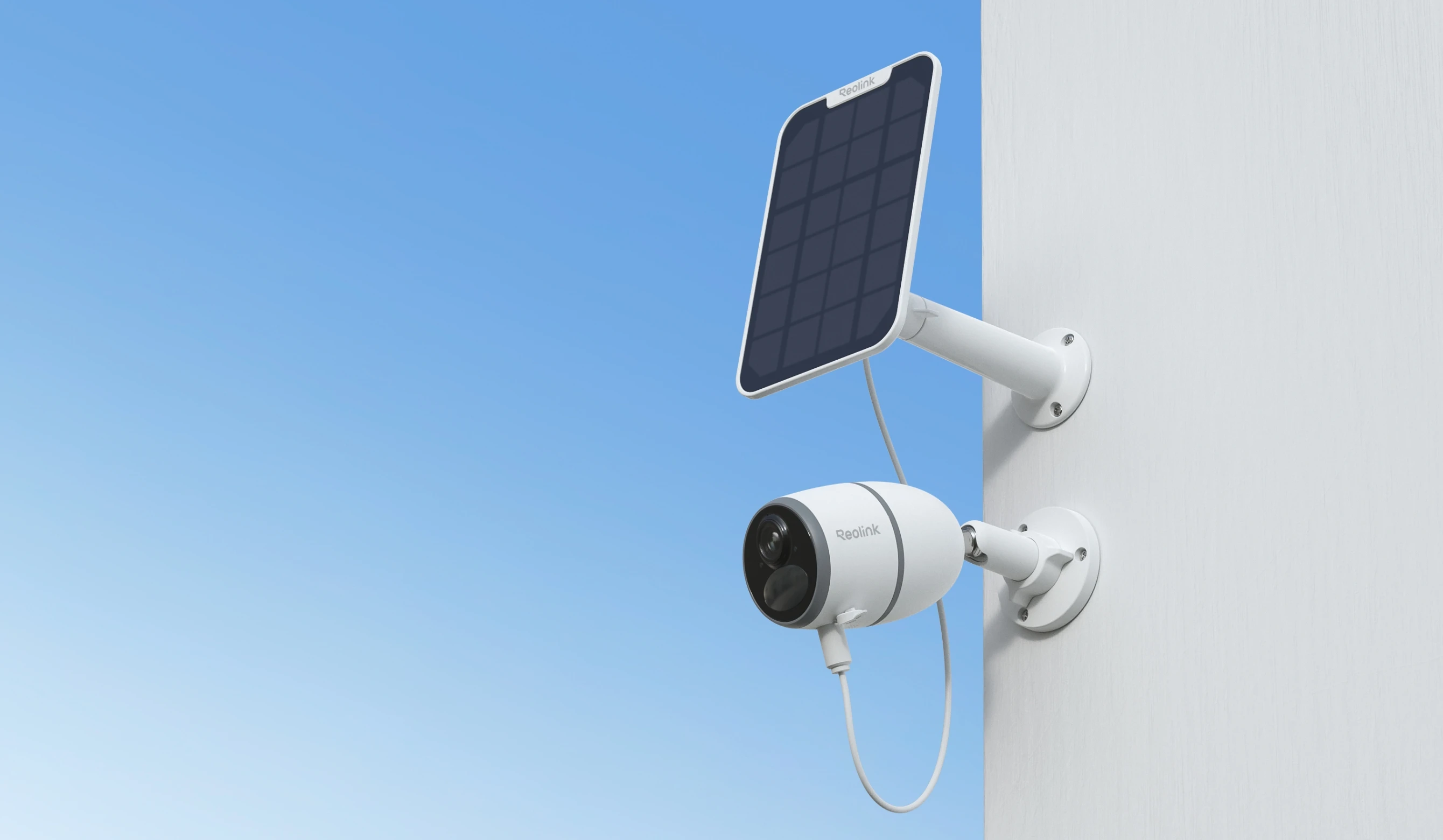
Solar powered 4G LTE security cameras work anywhere cellular signal reaches — no WiFi, no wiring, no power outlet required. Image: Reolink official.
You have a property that WiFi simply doesn't reach — a barn at the back of a few acres, a vacation cabin three hours from the nearest town, a construction site that gets locked up every night. Standard security cameras are useless there. You already know that. What you may not know yet is that a solar powered security camera with no WiFi needed runs on a completely different system — one that doesn't care whether your router signal reaches the back fence or not.
These cameras connect to 4G LTE cellular networks. The same infrastructure your smartphone uses every day. The solar panel keeps the battery charged indefinitely. The camera sends real-time alerts and live video straight to your phone over cellular data, whether you're standing on the property or sitting in a different time zone. No WiFi. No electrical outlet. No cable runs.
In this guide, you'll find the best models tested and verified for 2026, a side-by-side spec comparison, an honest breakdown of ongoing data plan costs, and a clear map of which camera fits which situation. Let's start with how these cameras actually work — because understanding the mechanism will save you a frustrating, expensive return.
How a Solar Security Camera Works Without WiFi
Here's the thing a lot of product listings gloss over: "no WiFi" doesn't mean the camera works in isolation. It means the camera replaces WiFi with a 4G LTE cellular connection. Think of it exactly like a smartphone that never leaves its mounting bracket.
Inside every camera in this category, there is a SIM card slot — or in some models, a pre-installed SIM. That SIM connects to mobile networks like AT&T, T-Mobile, or Verizon. When the camera's PIR (passive infrared) motion sensor detects movement, it records a clip, saves it to a microSD card, and pushes an alert to your phone over cellular data. The solar panel charges the built-in battery throughout the day. In typical conditions, two to three hours of daily direct sunlight is enough to sustain indefinite operation without ever touching a power cable again.
What Is the Difference Between 4G Cellular and Local Storage Cameras?
This is the most important distinction in the entire category, and confusing the two is the most common buyer mistake. There are two genuinely different types of "no WiFi" cameras:
- 4G LTE cellular cameras — use a SIM card and a monthly data plan to send live alerts, real-time notifications, and remote live view to your phone. You can check your property from anywhere with a cell signal. These require an ongoing data plan fee, typically $10–$20 per month.
- Local storage cameras — record everything to a microSD card with no internet connection at all. No alerts, no remote viewing. You retrieve the card physically to see footage. Zero monthly fee, but also zero remote awareness.
Most buyers searching for a solar powered security camera with no WiFi needed want the first type — the kind where your phone buzzes when something moves. That is what this guide covers.
Do this before anything else: Check your 4G LTE coverage at the exact install location using your carrier's coverage map online. Even the best camera on the market is a paperweight in a 4G dead zone. That one step prevents the majority of buyer disappointment in this category.
Watch: How 4G LTE Solar Security Cameras Work (No WiFi Setup)
Video: eufy 4G LTE Cam S330 — real-world setup and review showing how a solar camera works completely without WiFi. Source: YouTube.
Best Solar Powered Security Cameras With No WiFi Needed (2026)
After reviewing specs, cross-referencing independent tests, and examining real-world accounts from construction sites, farms, and remote properties, these four cameras represent the strongest options across different budgets and use cases in 2026.
1. Reolink Go Plus — Best Overall Value
Reolink Go Plus — 2K 4G LTE solar security camera for farms and remote properties. Image: Reolink official.
The Reolink Go Plus has been the benchmark for budget-to-midrange off-grid surveillance for several years, and in 2026 it still earns that reputation. It shoots 2K resolution (2560×1440) at 15fps, with six IR LEDs covering about 33 feet of night vision. The body carries an IP65 weatherproof rating, which handles rain and dust without complaint through seasons of outdoor exposure.
What makes it genuinely practical is the ecosystem. The Reolink Solar Panel (sold separately, around $30) attaches directly and keeps the battery sustained indefinitely under normal sunlight. Real users with cameras mounted on farms and ranches report running continuously for years with almost no maintenance at all. One owner documented buying a second unit after his first Go Plus worked flawlessly for three consecutive years at a woodland property — that kind of real-world track record matters more than spec-sheet claims.
The camera accepts a nano SIM and connects over 3G/4G LTE. Person, vehicle, and animal detection are built in via AI, and motion sensitivity is fully adjustable through the Reolink app. MicroSD cards up to 128GB are supported for local storage, though none is included in the box.
A few honest limitations worth knowing before you buy. The field of view is 125° diagonal — you need to aim this camera carefully because it won't sweep a wide area the way a pan-tilt camera would. Clip length defaults to 8 seconds after a motion trigger, adjustable up to 30 seconds. Cloud recording downloads are done clip by clip, which becomes tedious at high event volumes.
- Resolution: 2K 4MP (2560×1440) at 15fps
- Connectivity: 4G LTE / 3G — user-supplied nano SIM (T-Mobile, AT&T US)
- Battery: 7,800mAh built-in rechargeable
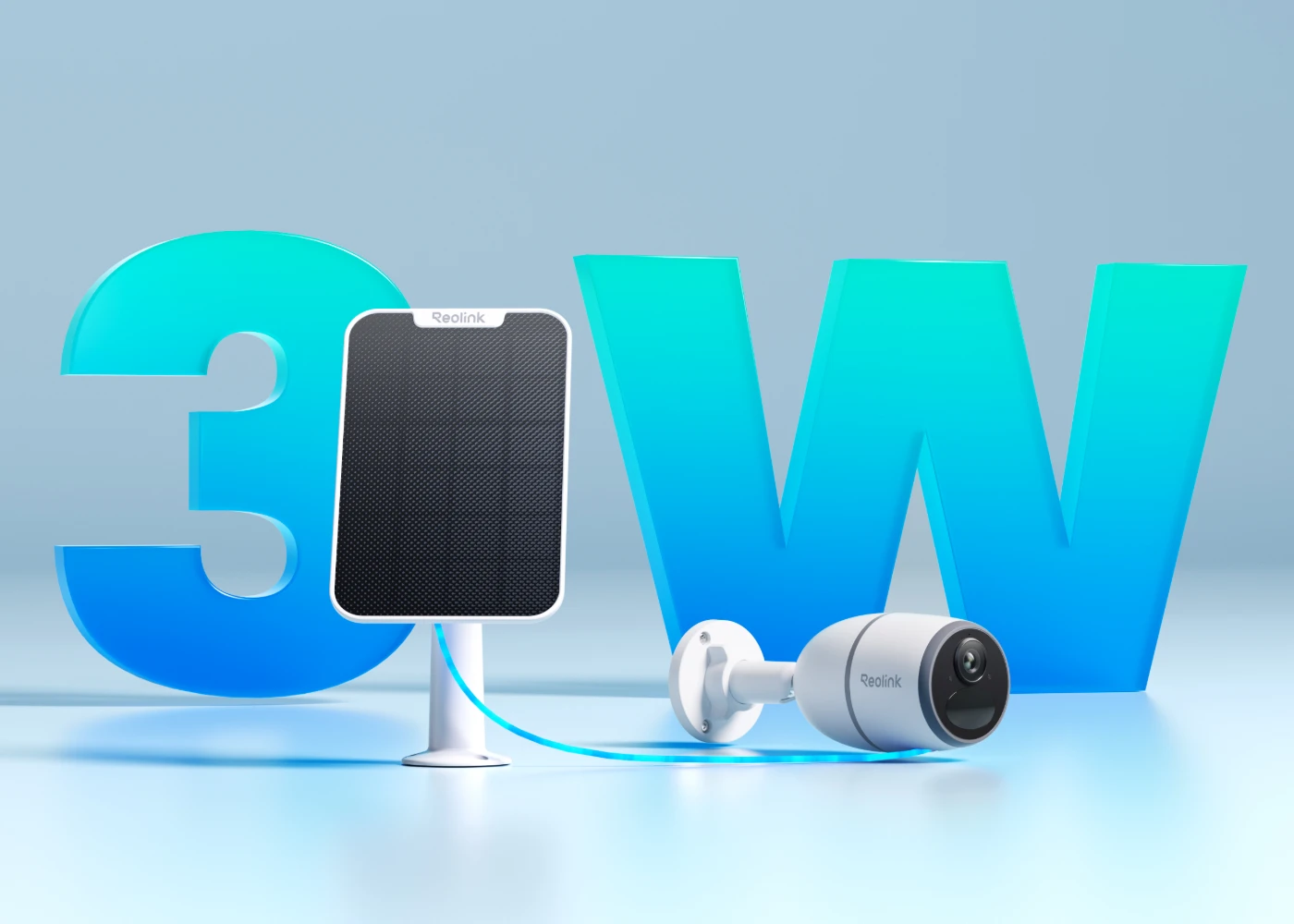
- Solar panel: Compatible with Reolink Solar Panel 2 (3W) — sold separately (~$30)
- Weatherproof rating: IP65
- Night vision: IR (black and white), 33ft range — 6 IR LEDs
- Storage: MicroSD up to 128GB (not included) + optional Reolink Cloud
- Voice assistants: Google Assistant
- Approximate price: $80–$110 (camera only)
- Best for: Farms, barns, rural properties, budget-conscious buyers
You can see the full specs and current availability at Reolink's official product page.
2. eufy 4G LTE Cam S330 — Best Premium Option
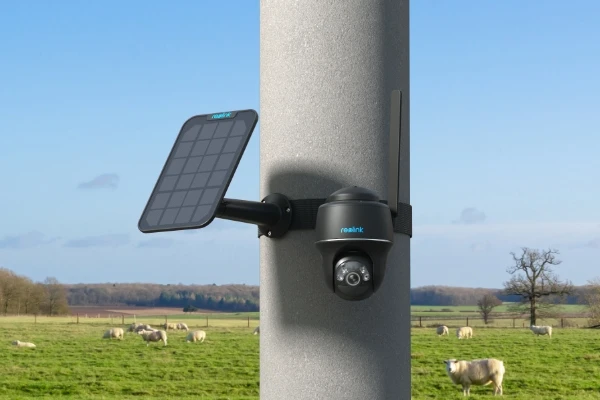
eufy 4G LTE Cam S330 — 4K solar security camera with included SIM card, solar panel, and 32GB SD card. Image: Reolink PT Plus official (representative pan-tilt solar form factor). Source product page: eufy.com.
The eufy S330 is the camera you buy when you want everything handled out of the box and don't want to think about it again. 4K UHD resolution with full-color night vision, a 100-lumen spotlight, 360° pan and 70° tilt with AI auto-tracking, a 9,400mAh battery, and an included solar panel. Just two hours of daily direct sunlight keeps it running indefinitely — a figure backed by eufy's official specifications and confirmed by independent reviewer testing.
What genuinely separates the S330 from most competitors is the dual-mode connectivity. It runs on WiFi when WiFi is available and automatically switches to 4G LTE when it isn't. For vacation properties with seasonal or unreliable internet, this is particularly valuable — no plan changes, no reconfiguration. The included 3-in-1 SIM card automatically selects the strongest signal among AT&T, T-Mobile, and Verizon, a meaningful advantage in rural areas where coverage varies by carrier.
Data consumption is impressively efficient. Based on eufy's verified testing documentation, typical use — 25 motion-triggered 10-second recordings and 10 daily live views — consumes approximately 700MB of data per month. The 32GB microSD card is included in the box, which is a genuine cost saver.
The S330's honest limitation: no optical zoom lens. Digital zoom extends to 8x, but images pixelate noticeably at longer distances. It also lacks Apple HomeKit compatibility — Alexa and Google Assistant are supported, HomeKit is not.
- Resolution: 4K UHD — full color day and night
- Pan / Tilt: 344° pan / 70° tilt with AI auto-tracking
- Connectivity: 4G LTE + WiFi hybrid — included 3-in-1 SIM (AT&T / T-Mobile / Verizon auto-select)
- Battery: 9,400mAh; solar panel included
- Weatherproof rating: IP67 (dust-tight; withstands temporary water immersion)
- Night vision: Full color + 100-lumen spotlight, 26ft color range
- Storage: 32GB microSD included; optional eufy cloud from $3/month
- Temperature range: -4°F to 122°F (-20°C to 50°C)
- Data usage: ~700MB/month under typical conditions (eufy verified)
- Voice assistants: Alexa, Google Assistant
- Approximate price: $199–$249 (solar panel + 32GB SD included)
- Best for: Vacation homes, premium installs, out-of-box simplicity
For those prioritizing a clean, zero-configuration setup, this is the model I personally find most complete — included SIM, included solar panel, included 32GB card, and auto-network switching eliminate nearly every additional decision. You can view current pricing and specs at eufy's official product page.
3. Reolink Go PT Plus — Best for Large Areas
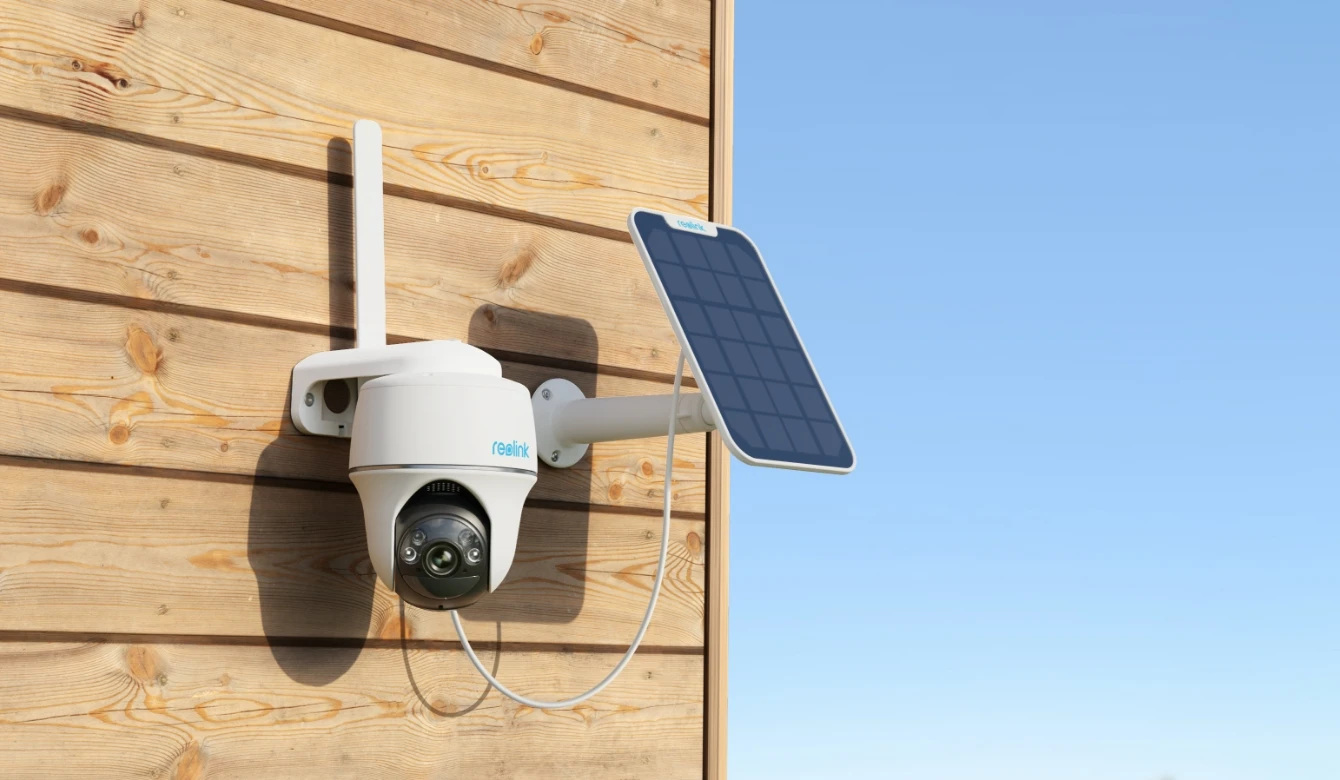
Reolink Go PT Plus — 355° pan and 140° tilt, 4G LTE solar camera ideal for construction sites and large open properties. Image: Reolink official.
If the standard Go Plus has one weakness, it is the fixed lens. The Go PT Plus solves that with a motorized swivel mechanism offering 355° pan and 140° tilt — enough to cover a warehouse yard, a construction site perimeter, or a large pasture from a single mounting point. Resolution is 2K+ 5MP, and the color night vision spotlight delivers vivid footage even in complete darkness.
After a full year of daily field use at a residential construction site, independent testing found the Go PT Plus reliable and durable throughout — even with the solar panel partially shaded by tree canopy for several hours each day. The camera stayed above 90% battery under those real-world conditions. A standout feature is the custom voice alert — you can record your own warning message that plays when motion is detected, which is a considerably more effective deterrent than a generic beep.
- Resolution: 2K+ 5MP Super HD
- Pan / Tilt: 355° pan / 140° tilt (motorized), 32 preset points
- Connectivity: 4G LTE / 3G — user-supplied nano SIM (T-Mobile, AT&T, Vodafone)
- Solar panel: Sold separately; attaches directly or mounts at a distance
- Weatherproof rating: IP64
- Night vision: Color night vision with spotlight
- Storage: 32GB microSD included + Reolink Cloud
- Voice assistants: Google Assistant
- Approximate price: $120–$160
- Best for: Construction sites, warehouses, large open properties needing wide-sweep coverage
4. SEHMUA 4G LTE Solar Camera — Best Budget Pick
For buyers who need solid off-grid surveillance without the premium price, the SEHMUA 4G LTE camera delivers considerably more than its cost suggests. 2K resolution, 360° pan, full-color night vision, a 10,400mAh battery, and a 6W solar panel — all included at a price well below the Reolink and eufy options. It runs on the EIOTCLUB SIM platform compatible with AT&T and T-Mobile, includes a 7-day cloud storage trial, and supports microSD cards up to 128GB.
The PIR motion sensor accurately distinguishes between people, vehicles, and pets, which keeps false alerts manageable and data usage in check. Two-way audio is included. The main trade-off is app polish — the Ubox app works reliably for core functions but lacks the refinement of the Reolink or eufy apps. Initial setup is also slightly more involved for first-time users.
- Resolution: 2K with full-color night vision
- Pan: 360° horizontal pan
- Battery: 10,400mAh + 6W solar panel (both included)
- Connectivity: EIOTCLUB SIM included (AT&T / T-Mobile trial); subscription required after trial
- Storage: MicroSD up to 128GB + EIOTCLUB cloud trial
- Approximate price: $60–$90
- Best for: Budget buyers, secondary cameras, proven-coverage locations
Side-by-Side Comparison: Top No-WiFi Solar Cameras
Here is a direct look at how the four cameras stack up on the specifications that matter most for off-grid deployment. Prices are approximate as of April 2026.
| Feature | Reolink Go Plus | eufy S330 | Reolink Go PT Plus | SEHMUA 4G LTE |
|---|---|---|---|---|
| Resolution | 2K 4MP | 4K UHD | 2K+ 5MP | 2K |
| Pan / Tilt | Fixed lens | 344° pan / 70° tilt | 355° pan / 140° tilt | 360° pan |
| Solar Panel | Sold separately (~$30) | Included | Sold separately | Included (6W) |
| Battery Capacity | 7,800mAh | 9,400mAh | Not publicly specified | 10,400mAh |
| SIM Card | User-supplied nano SIM | 3-in-1 SIM included (AT&T/T-Mobile/Verizon) | User-supplied nano SIM | EIOTCLUB SIM included |
| SD Card Included | No | Yes — 32GB | Yes — 32GB | No |
| Night Vision | IR — B&W (33ft) | Full color + spotlight | Color + spotlight | Full color |
| Weatherproof | IP65 | IP67 | IP64 | IP65 |
| Voice Assistants | Google Assistant | Alexa + Google | Google Assistant | None listed |
| Approx. Price | $80–$110 | $199–$249 | $120–$160 | $60–$90 |
Prices are approximate as of April 2026. Always verify current listings before purchasing as pricing changes frequently.
How to Choose the Right Camera for Your Situation
The specs on a comparison table don't tell you which model fits your specific challenge. These buyer scenarios will.
Farm and Agricultural Properties
For farms and ranches, the priorities are long-term unattended reliability and minimal maintenance. The Reolink Go Plus with the Reolink Solar Panel has a documented three-year track record of continuous operation at rural sites. For larger pastures or open yards where a single camera needs to cover a wide sweep, step up to the Reolink Go PT Plus — the 355° motorized pan eliminates the need for multiple fixed cameras in many setups.
Construction Sites and Job Sites
Construction sites need broad coverage, a visible deterrent presence, and the ability to verify who is on-site at any time. The Reolink Go PT Plus is the documented choice here — one verified user account describes deploying four Go PT Plus cameras on a single site and deterring two would-be thieves within the first week. PTZ coverage from a high mount point, combined with the custom voice alert, is the most cost-effective deterrent approach available in this category.
Vacation Homes and Cabins
Vacation properties often have intermittent internet — a router powered down off-season, satellite service that drops in bad weather, or no broadband at all. The eufy S330's dual-mode connectivity is built precisely for this scenario. When WiFi is available, it uses it. When not, it switches to 4G automatically. No reconfiguration required. The auto-selecting 3-in-1 SIM covering AT&T, T-Mobile, and Verizon is particularly valuable where carrier coverage varies across a rural property.
Watch: Setting Up a 4G LTE Solar Camera — No WiFi Step-by-Step
Video: 4G LTE solar security camera — real-world setup walkthrough showing SIM activation, app pairing, and mount positioning. Source: YouTube.
What Does It Actually Cost? Data Plans and Total Ownership
Here is the section most competitor articles skip entirely — and it is the one that prevents the most buyer regret. The solar panel eliminates electricity costs. The microSD card eliminates mandatory cloud fees. But cellular data is an ongoing expense that needs to be factored into your decision upfront.
A well-optimized 4G solar security camera running motion-activated recording with 10–25 daily events typically consumes 700MB to 1.5GB of data per month. Budget $10–$20 per month for a data plan — that is $120–$240 per year, per camera.
| Cost Item | Typical Range | Notes |
|---|---|---|
| Camera hardware | $60–$250 | One-time cost |
| Solar panel (if not included) | $25–$45 | One-time; included with eufy S330 and SEHMUA |
| MicroSD card (if not included) | $10–$25 for 128GB | One-time; included with eufy S330 and Go PT Plus |
| Monthly data plan | $10–$20/month | Ongoing — varies by carrier and data allotment |
| Optional cloud storage | $3–$10/month per camera | Ongoing — avoidable with microSD local storage |
| Annual operating cost (data plan only) | $120–$240/year | The number to plan around from day one |
Prices are approximate as of April 2026 and subject to change. Check current carrier and manufacturer plans before purchasing.
On data consumption: eufy's verified testing shows the S330 uses approximately 700MB per month under typical conditions. To reduce monthly data usage on any camera: lower the streaming resolution, shorten the default clip length, and tighten motion detection zones to cut false triggers. Using microSD as your primary archive and treating the data plan as an alert-and-live-view channel only can cut your monthly data consumption significantly.
Installation: Setting Up Your Off-Grid Solar Camera
Initial setup is where most buyers run into friction — and the majority of those problems are avoidable with a small amount of preparation. Here is what to do before you mount anything.
- Charge the battery fully before first use. Almost every camera in this category requires a complete initial charge via USB cable before handing control to the solar panel. Skipping this causes connection errors and activation failures that look like hardware problems but aren't.
- Verify 4G signal at the exact install location. Walk to the specific spot with your phone. Check signal bars and run a speed test. One reliable bar of 4G is typically sufficient for motion-triggered clips. Live streaming at full resolution needs a stronger signal — test this before finalizing the mount position.
- Download the app and create your account before activating the SIM. Have the Reolink app, eufy Security app, or Ubox app installed and your account ready before you begin. Doing this on-location during setup wastes time and patience.
- Activate the SIM or data plan. For cameras with included SIMs (eufy S330, SEHMUA), follow the in-app activation steps. For cameras requiring a user-supplied SIM (Reolink Go Plus, Go PT Plus), insert the nano SIM before powering on. Finicky SIM insertion is a common friction point — use the ejector tool, confirm the card is fully seated, and do not force it.
- Scan the QR code on the camera body. This pairs the camera to your account in the app. Wait for the LED indicator to confirm network connection before mounting. Troubleshoot connectivity issues at ground level, not on a ladder.
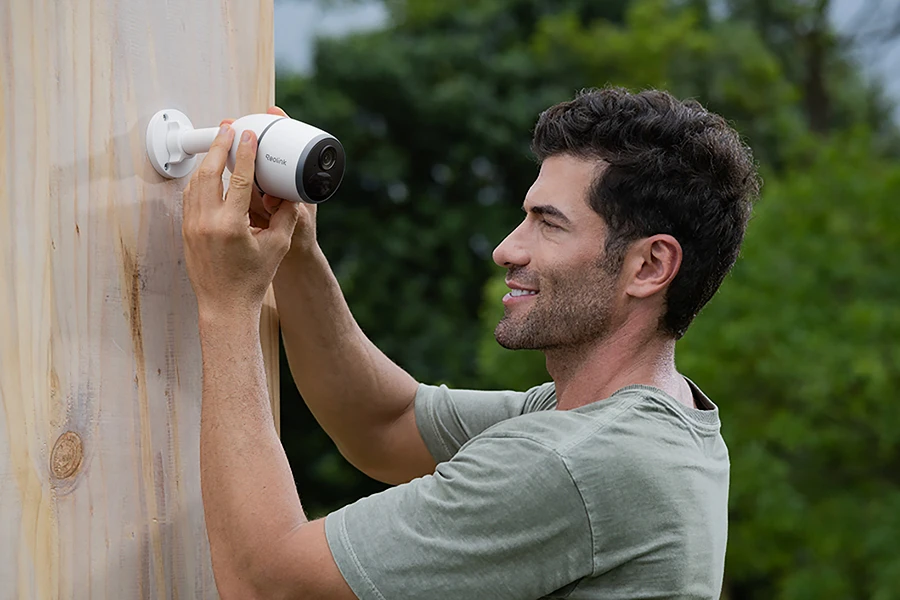
- Mount the solar panel facing south (northern hemisphere) at a slight downward angle to shed rainwater. Aim for a minimum of two hours of unobstructed direct sunlight per day. Partial shade is acceptable — field testing shows reliable battery maintenance even with several hours of daily canopy shade — but avoid completely shaded locations.
Solar panel positioning is critical — south-facing with at least 2 hours of direct daily sun keeps the battery sustained indefinitely. Image: Reolink official.
Objections Answered: Common Concerns Before You Buy
Does it still record if the 4G signal drops?
Yes — provided you have a microSD card installed. When cellular connectivity drops, the camera continues recording locally to the SD card. You will not receive real-time alerts until the signal recovers, but footage is preserved. This is the primary reason to always use microSD local storage alongside your data plan, not as a replacement for it.
Can I use my own SIM card?
For Reolink Go cameras, yes — they accept any nano SIM on compatible 4G LTE bands (T-Mobile and AT&T prepaid data plans in the US). For the eufy S330, the included EIOTCLUB SIM is recommended for optimal performance; third-party SIMs are supported but confirm carrier compatibility before purchase. The SEHMUA US version uses a built-in SIM slot that does not accept replacement cards — you top up the EIOTCLUB data plan directly through their service.
How long does the solar panel actually keep the battery charged?
The eufy S330 requires just two hours of direct daily sunlight to maintain indefinite operation — documented in eufy's official product specifications and confirmed by multiple independent reviewers. The Reolink Go PT Plus maintained above 90% battery through a full year of field deployment with partial solar panel shading. In winter at higher latitudes, reduced daily sunlight hours may require supplemental USB charging every few weeks. Plan for this specifically if your location has limited winter sun.
What happens if the camera is stolen?
If cloud storage was active, your footage up to the moment of theft is preserved remotely and remains accessible. If microSD only was used, the card goes with the camera. For high-theft-risk environments — construction sites in particular — pair local SD storage with cloud backup during active periods, or mount a secondary camera that covers the primary camera's position. The eufy S330's HomeBase integration when on WiFi provides an additional layer of protection, syncing footage to a HomeBase unit inside the building.
Do these cameras work in cold climates?
The eufy S330 is rated for operation from -4°F to 122°F (-20°C to 50°C). Reolink Go cameras carry IP65/IP64 ratings with real-world users reporting reliable operation through cold winter conditions. The practical caveat: lithium-ion battery capacity decreases at sustained freezing temperatures, which means the solar panel needs to contribute more energy per day. Budget for occasional USB top-up charges during the harshest winter weeks if your location sustains extended sub-freezing temperatures.
Frequently Asked Questions
What is the best solar powered security camera with no WiFi needed?
The eufy 4G LTE Cam S330 is the strongest all-around option in 2026 — 4K resolution, solar panel included, SIM card included, auto-switching between WiFi and 4G, and IP67 weatherproofing at approximately $199–$249. For buyers on a tighter budget, the Reolink Go Plus offers proven multi-year reliability at $80–$110 for the camera alone.
Do solar security cameras without WiFi require a monthly fee?
Yes. 4G LTE cellular cameras require a data plan to transmit alerts and live video to your phone. Typical plans cost $10–$20 per month. Optional cloud storage adds $3–$10 per month per camera. Using a microSD card for local storage eliminates the cloud fee entirely, though you still need cellular data for remote alerts and live viewing.
How much 4G data does a security camera use per month?
Based on eufy's verified testing data, a camera handling 25 motion-triggered 10-second recordings and 10 daily live views consumes approximately 700MB per month. Higher event frequency, longer clip length, or streaming at 4K will increase this figure. In lower-bitrate (fluent) mode, Reolink cameras can record for three or more hours on 1GB of data.
Can these cameras work completely off the grid with no internet at all?
In local-storage-only mode, yes — the camera records to a microSD card without any cellular connection and no monthly fee. However, you will not receive remote alerts or be able to view a live feed without a 4G data connection. For true remote monitoring and real-time notifications, cellular data is required.
What is the difference between IP65 and IP67 weatherproofing?
IP65 cameras are fully protected against dust and water jets from any direction — sufficient for virtually all outdoor security camera installations. IP67 adds protection against temporary water immersion up to 1 meter for 30 minutes. For most mounting situations, IP65 is entirely adequate. IP67 offers extra protection in flood-prone locations or environments with extreme moisture exposure.
Before You Buy: Quick Checklist
- ✅ Confirmed 4G LTE coverage at the exact install location (checked on carrier coverage map)
- ✅ Decided between fixed lens (simpler, lower cost) vs. pan-tilt (broader coverage)
- ✅ Accounted for ongoing data plan cost — $10–$20/month, $120–$240/year per camera
- ✅ Decided on storage: microSD only, cloud only, or both
- ✅ Confirmed solar panel placement gets at least 2 hours of direct daily sunlight
- ✅ Checked whether SIM card is included or needs to be purchased separately
- ✅ Planned for full battery charge on first use before mounting
- ✅ For high-theft locations: cloud backup enabled and/or secondary camera covering primary camera position
Bottom Line
A solar powered security camera with no WiFi needed is one of the most practical off-grid security investments available in 2026. The solar panel solves the power problem. The 4G LTE connection solves the internet problem. The microSD card solves the storage problem. Put those three things together and you have a capable surveillance system that works anywhere cellular coverage reaches — with no ongoing electricity cost and no cable runs.
For most buyers, the decision comes down to three factors: budget, coverage area, and whether you want everything included in the box. The Reolink Go Plus handles tight budgets and rural farm properties exceptionally well. The eufy S330 is the right call when you want a fully equipped, out-of-box experience with the strongest feature set. The Go PT Plus wins for large areas and construction sites where PTZ coverage is worth the extra cost. The SEHMUA delivers solid performance for buyers who need a working solution at the lowest possible entry price.
Check your 4G coverage first. Then match the camera to your situation — not just the one with the most impressive spec sheet.



0 Comments